
Why 3D renders and models miss the brief: common challenges and how to address them
A 3D render can make an unbuilt building or an unfinished product look tangible. A model can also support interactive demonstrations, virtual reality and discussions about how components relate. The apparent simplicity of the final image can hide the number of decisions required to produce a useful result.
The most common challenge is not a lack of visual polish. It is a mismatch between what the visual is expected to communicate and the information, accuracy or delivery format supplied to create it. A beautiful image can still fail if it shows an outdated design, hides a critical feature or creates an expectation that the final product cannot meet.
Good 3D work begins with the decision the audience needs to make. From there, the project can define the model, source material, visual style, technical constraints and review process. This is particularly important when one asset is expected to serve several purposes, such as a high-resolution marketing image and an interactive headset experience.
A model and a render are not the same deliverable
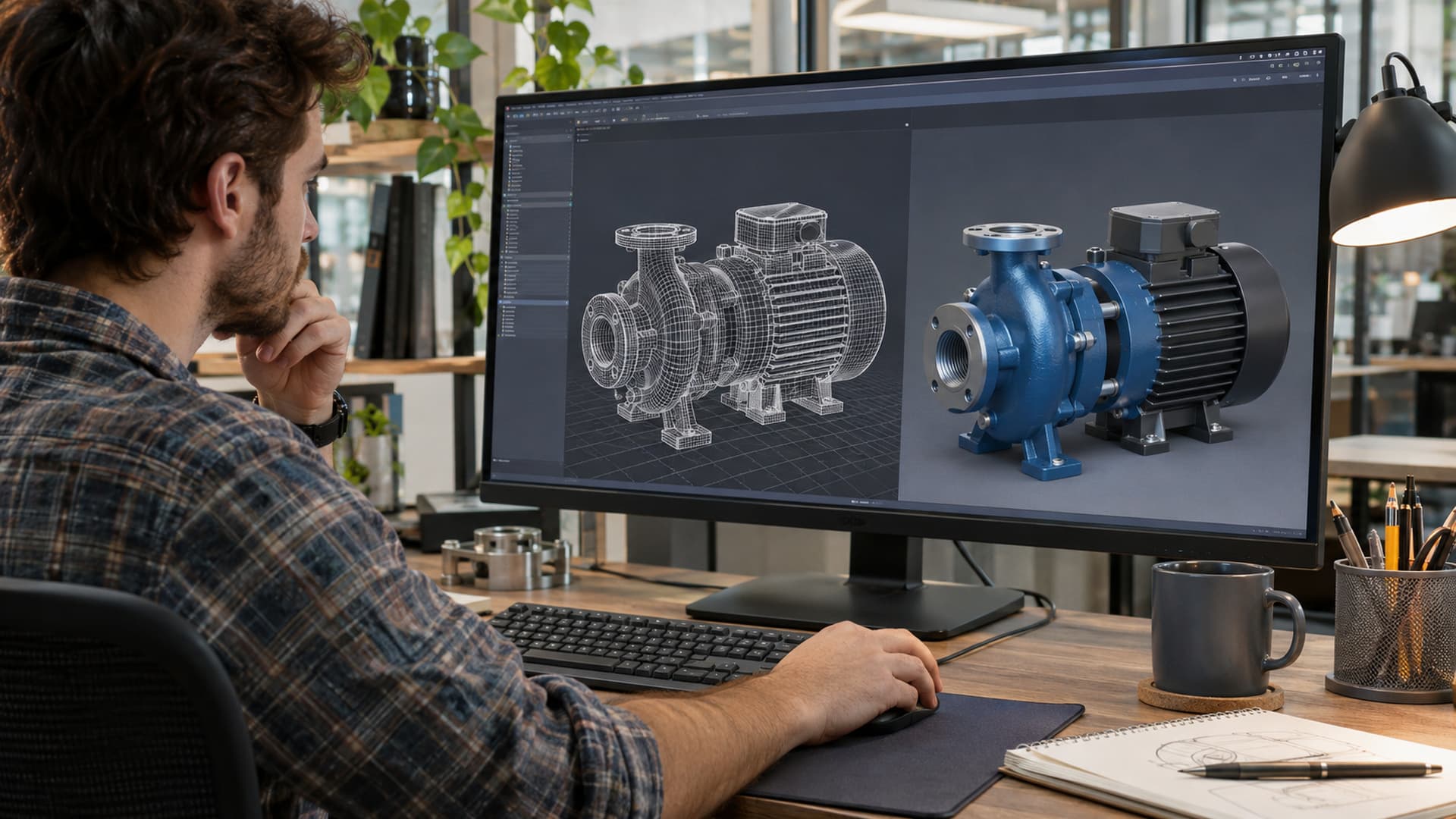
A 3D model describes the shape and structure of a digital object or environment. A render is an image produced from a scene using a virtual camera, materials, lighting and rendering software. An animation is a sequence of rendered frames; a real-time application generates views interactively as the user changes perspective or interacts with content.
These outputs can share source assets, but they are not interchangeable. A client who receives a JPEG of a building cannot automatically move the camera, change the floor plan or edit the model. A real-time model designed for a headset may need different preparation from a highly detailed scene used for a still image.
Specify what needs to be delivered: still images, an editable model, an animation, a web viewer, a VR build or a combination. For each, agree on file formats, resolution, viewpoints, supported devices and whether the recipient needs access to source files. Explain whether the final deliverable must be editable and by whom.
This distinction helps avoid misunderstandings about ownership and later changes. A render can be approved as an image while the underlying model remains unsuitable for manufacturing or engineering. If the project requires measurable geometry or a specific file standard, those requirements must be defined and verified separately.
Challenge 1: the purpose is too broad
“Make it look realistic” is a visual preference, not a complete business brief. A product team may need to explain a mechanism, while a sales team may want an appealing hero image and an engineer may need to review clearances. Each audience looks for different evidence.
A useful brief identifies the main question. Is the viewer comparing exterior materials, understanding how a product opens, reviewing an interior layout or seeing a proposed object in context? Decide what must be visible and what level of fidelity is required for that purpose.
For a marketing image, lighting and composition can emphasise the product's defining features. For a design review, the same dramatic lighting may hide details that the team needs to assess. A neutral view and a separate presentation image may be more useful than forcing one image to do both jobs.
The purpose also influences what is not needed. If the viewer will never see the back of a component in a still image, it may not need the same detail as the visible front. If users will walk around an object in VR, hidden surfaces and interactions become more important. This is a scoping decision, not permission to misrepresent the product.
Challenge 2: source information is incomplete or inconsistent
A project may begin with CAD files, architectural plans, reference photographs, sketches or an existing physical product. Those inputs can differ in date, detail and accuracy. A drawing might show a revised exterior while a reference photograph shows an older version; a CAD model may omit materials needed for presentation.
Identify the authoritative source for each part of the work and the person who can resolve conflicts. Record the version and date of the files supplied. If a design is still changing, agree on a cut-off point for the first visual and a process for later revisions.
When information is missing, a modeller may need to make an assumption about a surface, hidden component or surrounding environment. Those assumptions should be listed for review rather than silently presented as confirmed facts. A placeholder material can be useful during development, but it should not become an implied promise about a final finish.
If a project requires dimensional accuracy, the relevant technical team must verify the model against approved source data. A visually convincing object is not evidence that its dimensions, tolerances or mechanical behaviour have been checked. The level of validation should match the use and be documented in the scope.
Challenge 3: appearance can suggest a certainty that does not exist
Photorealistic lighting and materials can make a proposed design feel finished. That is useful for communication, but it can also conceal the fact that a material, colour or layout is still under review. Viewers may assume that a render shows an approved product rather than an illustrative concept.
Use clear labels and accompanying information where necessary. Distinguish a proposed development from a completed building, or a concept variant from a configuration available for purchase. If the visual includes an illustrative landscape or background, avoid implying that it is a verified view from a particular property unless that has been established.
Colour is especially sensitive. Screens, lighting and rendering choices can affect appearance, so a render may not exactly match a physical finish under every condition. When colour or material selection is important, review the render alongside approved references or physical samples and agree on its intended role in the decision.
The same principle applies to product behaviour. An animation can illustrate a proposed movement, but it is not automatically a validated simulation of forces, tolerances or safe operation. If engineering accuracy is required, involve the responsible experts and use a process appropriate to that level of validation.

Challenge 4: the asset has to work in more than one medium
A still render may use complex geometry, large textures and computationally expensive lighting because the image can be calculated before delivery. An interactive application must respond while the user moves or acts. A standalone headset has different performance limits from a desktop workstation or a cloud-rendered presentation.
The practical question is which details the audience needs at the intended viewing distance. A small internal screw may matter in a close-up product demonstration but add cost without value in a distant architectural scene. Materials, textures and geometry can be prepared at different levels of detail for different outputs.
Optimisation should be driven by measurement. Unity's graphics-performance guidance recommends identifying the source of a performance problem before selecting a remedy. The specific tools and techniques depend on the engine, hardware and application, but the principle is broadly useful: test a representative scene on the target device.
A prototype can reveal whether a model is too heavy, whether textures are difficult to read in a headset or whether interaction remains responsive. Agree on acceptable quality and performance targets for the project. Do not promise identical visuals across every device without testing the actual build.
Challenge 5: lighting and materials change the message
A product's shape can appear different under hard directional light than under soft, even light. Gloss, transparency, reflections and shadows influence how a material is perceived. In an architectural image, time of day and surrounding surfaces can change the apparent atmosphere of a room.
Those choices are creative tools, but they need to support the intended decision. A reflective surface may make a product look premium while obscuring a control or joint. Warm lighting may make an interior inviting but make it harder to compare two finishes accurately. Decide when the image is intended to inform a technical discussion and when it is intended to create a mood.
Supply useful references where available: material samples, finish codes, photographs under known conditions or approved visual examples. Explain what the references represent and where interpretation is acceptable. If a requested material has not yet been selected, keep the decision visible in the review process.
For an AR application, lighting conditions can change when the user moves between environments. Google's ARCore lighting-estimation documentation describes platform features intended to help digital content respond to a real environment. Such features can improve coherence, but they do not guarantee that every material will match every scene perfectly.
Challenge 6: revisions are discovered too late
A render can pass through modelling, material development, lighting, composition and final output. A change to a structural design after the final image has been calculated can affect much more work than a change to a caption. The cost and schedule implications depend on what changed and how the project was built.
Use review stages appropriate to the work. A basic geometry review can confirm proportions and layout before detailed materials are applied. A draft render can then establish camera position and lighting. The final review can focus on the agreed details and output requirements. Each stage should have a named decision maker and consolidated feedback.
Feedback is most useful when it identifies the issue and the source of the correction. “The door should match drawing revision B” is easier to action than “make it more accurate”. If several stakeholders provide conflicting requests, resolve the direction before asking the production team to make changes.
Agree on the number and scope of revision rounds in the proposal. Distinguish a correction to an agreed brief from a new feature, a new camera angle or a changed design. A clear process protects both the client's schedule and the quality of the result.
Challenge 7: delivery and ownership are left until the end
A final image is only one part of the handover. The project may also involve source models, textures, fonts, licensed third-party assets, scene files and an interactive build. Clarify which items are included, which licences apply and what the recipient is allowed to edit or redistribute.
If the output is a website or application, decide where it will be hosted, who maintains it and what devices and browsers are supported. If the client receives an editable model, agree on the format and any software dependencies. A file format alone does not guarantee that every material, animation or feature will transfer perfectly to another application.
For confidential products or facilities, agree on access controls, transfer methods and retention of source material. Consider whether the production team can use the work in a portfolio and whether additional approval is needed before publication. These conditions should be documented rather than assumed.
Plan for future changes too. A product may gain a new finish or a building design may be revised. Ask what source material will be retained, how long it will be available and how a later update would be scoped. Good handover makes a visual asset more useful beyond the first campaign.
A better 3D brief
Start with the intended audience and the decision the visual should support. Provide the latest approved source files, dimensions and references, and identify which aspects are confirmed and which remain illustrative. List the required viewpoints, outputs and target platforms.
Then agree on review stages, responsibilities and acceptance criteria. For an interactive application, include the intended device, controls and performance expectations. For a still render, define resolution, aspect ratio, colour expectations and where the image will be used. For both, establish who has the authority to approve the final result.
AltVR's 3D rendering and modelling service supports visualisation for architecture, products, VR and related applications. Contact AltVR with the source material and the decision you need the visual to support. A focused brief makes it easier to choose the right modelling and delivery approach.