

Augmented reality should solve a real problem before it tries to impress
Augmented reality can place a digital object into a camera view, attach information to a piece of equipment or let a learner explore a process in context. These possibilities are exciting, but the strongest business applications begin with a less glamorous question: what does the user need to understand or do?
A convincing 3D overlay can attract attention in a demonstration. It does not automatically improve a decision, make a task faster or help a customer buy. Those outcomes depend on the quality of the underlying information, the environment, the interaction and the way the experience fits into a real workflow.
Our view is that AR should earn its place. A phone, tablet or headset is useful when combining digital content with the physical world makes a task clearer or an experience more meaningful than the alternatives. That standard leads to better briefs, more focused development and more honest conversations about the technology's limits.
Start with a decision, not an effect
Imagine a customer considering whether a product belongs in a space. A conventional catalogue can show the object beautifully, but it leaves the customer to imagine the scale and placement. A well-designed AR preview can place a digital model in the camera view of the room and let the person move around it. The potential value lies in the more informed comparison, not in the animation by itself.
That benefit depends on the implementation. If the model is not built to an appropriate scale, the customer may receive the wrong impression. If the app struggles to recognise the floor or the object floats when the user moves, the experience can undermine confidence. If the product has multiple variants, the content must make clear which variant is being shown.
A useful brief therefore defines the decision and the evidence required. Does the user need to compare dimensions, finishes, operation or access around an object? What cannot be represented accurately? Should the experience lead to a conversation with a specialist or a verified measurement rather than a purchase based on the visual alone?
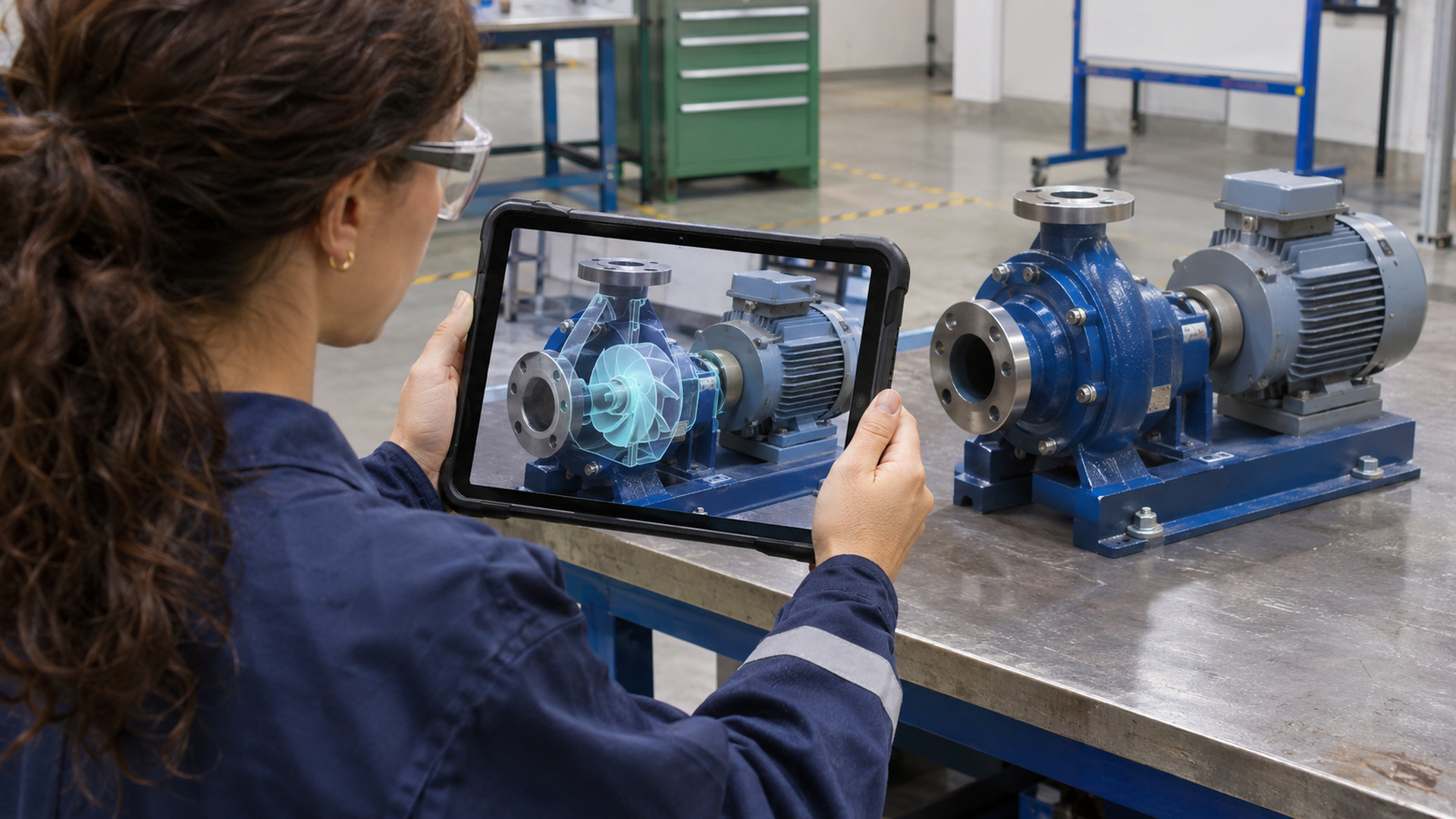
These questions apply to operations and education too. A technician looking at an unfamiliar machine may need to identify the correct component before proceeding. An educator may want learners to see a three-dimensional relationship from multiple angles. In both cases, the digital layer should serve the task rather than compete for attention.
AR is not a single experience
AR is often described as digital content overlaid on the real world. That description covers several different experiences. A phone or tablet can use its camera and screen to show a digital object in the surrounding space. A headset or glasses can present information in the wearer's field of view, depending on the device and application.
The appropriate form depends on the situation. A phone-based experience can be convenient when customers already have compatible devices and the interaction is short. A hands-free device may be useful for a task requiring both hands, but it introduces questions about hardware access, fit, device management and the conditions in which it will be used.
Some experiences depend on recognising an image or object; others place content relative to a surface or location. Tracking methods, device capabilities and privacy requirements vary. A proposal should describe the actual method and target devices rather than treating “AR” as one interchangeable product.
The distinction also affects content. A detailed product model designed for a large monitor may need a different level of detail and interaction for a phone. An overlay visible in a controlled showroom might be difficult to read in an outdoor environment or against a visually busy background. The same concept needs testing in the setting where people will use it.
Context is valuable only when it remains accurate
An AR instruction can be powerful because it is presented near the object or location to which it refers. But proximity is not the same as accuracy. The application must identify the right equipment, present the right version of the instruction and account for what happens when the view changes.
Consider a maintenance scenario in which a digital marker appears on a machine. The marker may help a user locate an area, but it should not be treated as proof that the equipment is safe to operate. A design must respect the organisation's approved procedures, permissions and safety controls. Critical work still requires the appropriate training and verification.
A useful interface makes uncertainty visible. If the system cannot confidently track a surface or identify the intended object, the experience should prompt the user to reposition, rescan or use an approved alternative. It should not quietly place instructions on the wrong component and expect the participant to infer the problem.
Accuracy also includes keeping information current. Who approves an instruction? How is a changed procedure reflected in the app? What happens to a user with an older offline version? An attractive prototype that cannot be maintained can become a liability as soon as the physical product or underlying instructions change.
The environment is part of the product
AR content does not operate in an abstract empty room. Cameras and tracking systems need to interpret a physical environment that may contain reflections, plain surfaces, changing light, moving people or limited space. Google's ARCore environment guidance explains that low texture, extreme lighting and reflective surfaces can make environmental understanding harder.
A showroom with even light and a textured floor can behave differently from a warehouse with moving machinery, glare or repetitive shelving. A demonstration on a developer's desk does not prove that the same experience will work reliably at a customer site. Testing must include the intended devices, network conditions and representative physical settings.
Google's content-placement guidance also explains that surfaces can be difficult to detect under some conditions and that rapid movement can affect tracking. These are examples from one platform, not a complete list of limitations for every AR device. They illustrate why device and environment assumptions belong in the project brief.
The design should include a recovery path. Can the user understand when the system is scanning? Can they move an object if it appears in the wrong place? Is there a conventional image or instruction available if tracking cannot be established? A graceful alternative is part of a useful product, not an admission of failure.
Digital content needs a reason to exist
Adding a 3D object to a camera view can be visually striking, but it is only one use of AR. A training experience might use a step-by-step visual layer to help a learner see the relationship between components. A marketing experience could reveal a product's interior or show a variant in context. A remote-support workflow may use visual communication to help an expert and a colleague discuss the same physical item.
Each example has a different requirement. A product preview needs a model whose shape and scale support the decision. Training needs content that is correct, approved and understandable. Remote support needs clarity about the communication tools, connectivity and the tasks for which the system is appropriate.
The digital layer should not cover the very thing the user needs to see. Labels that are too small, overly dense instructions or a model placed in front of a real control can create confusion. Consider the user's working distance and allow them to dismiss, move or revisit information where the application supports it.
Audio and interaction need the same discipline. An animation should explain an operation or direct attention, not play simply because it can. Sound can be helpful in a controlled setting but may be hard to hear in a noisy exhibition or inappropriate in a quiet workspace. Provide alternatives when audio carries essential information.
Performance is a design decision
A high-detail model can look excellent in a rendering but place too much demand on a mobile device when combined with live camera processing. Texture sizes, model complexity, lighting, animation and the frequency of updates all influence performance. The right balance depends on the target hardware and the experience.
The answer is not always to remove detail uniformly. Identify the surfaces and features users need to inspect, then allocate visual detail where it matters. A close-up product configurator has different needs from a large object viewed from across a room. Test on the range of devices that the audience is expected to use, not just a powerful development handset.
Tracking, responsiveness and battery use should be considered alongside visual quality. A delayed response to a touch or a virtual object that shifts unpredictably can damage the feeling that the digital and physical elements belong together. It can also make a practical task harder rather than easier.
Performance testing should include the complete workflow. If an app retrieves a large model over a network, test both download and use under realistic conditions. If it works offline, establish how content is installed and updated. A technically impressive model is only useful if the intended audience can access and operate it.
Data and permissions deserve early attention
AR applications can use a camera view and may process information about the surrounding environment. Depending on the design, they may also involve user accounts, images, device information or analytics. The fact that an application can collect information does not mean every data point is necessary.
Define what is processed on the device, what is stored or transmitted, who can access it and for how long. Ask whether people or sensitive information may appear in the camera view and how the system should handle that possibility. Appropriate privacy, security and legal advice should be sought for the specific use and deployment.
Permissions should be explained in language users understand. If camera access is necessary for the experience, tell people why. If a feature is optional, make that distinction clear. A refusal or lack of permission should lead to a comprehensible alternative or message, not an unexplained failure.
For an event or public marketing activation, think about shared devices as well as software. Who resets the experience between users? Is any personal information left visible? How will analytics distinguish a completed interaction from an accidental start? These operational details influence trust as much as the visual design.
Measure the outcome that justified the build
A project should define success before production begins. For a product preview, that might involve observing whether users can identify the right variant or understand the space required. For training, it might involve a qualified assessment of whether learners can explain a sequence or make the correct decision. For an event, it might involve completion rates and the quality of follow-up conversations.
These are possible measures, not guaranteed results. A useful evaluation compares the AR experience with an appropriate baseline and considers the effort needed to deliver it. It should distinguish interest in the technology from understanding of the business message.
A pilot is valuable because it can expose a mismatch before a full rollout. Observe first-time users in a representative environment. Where do they hesitate? Can they find the object, understand the controls and recover when tracking is lost? Which questions do they ask that the interface should answer?
Include the people responsible for content and support in that review. A tool that users enjoy but employees cannot update or maintain will struggle to remain valuable. Define ownership of models, source assets, approvals, device support and future revisions before the project is considered complete.
A more useful AR conversation
The case for augmented reality is strongest when the digital layer reveals something that would otherwise be difficult to see, understand or discuss in context. That can support product presentation, learning and operational work, but it must be designed around the specific task and tested against real conditions.
AltVR's AR software development service is aimed at interactive applications for marketing, operations and education. A productive starting brief describes the audience, the physical environment, the devices available and the decision or action the experience should support. Contact AltVR to discuss the opportunity and its practical requirements.